

Access complete National & Provincial Building Codes across Canada!
All the codes in one searchable location.
From code research to inspections to operations,
quick access to licensed & always current Canadian building codes.


50,000 pages of licensed regulations
Available across jurisdictions
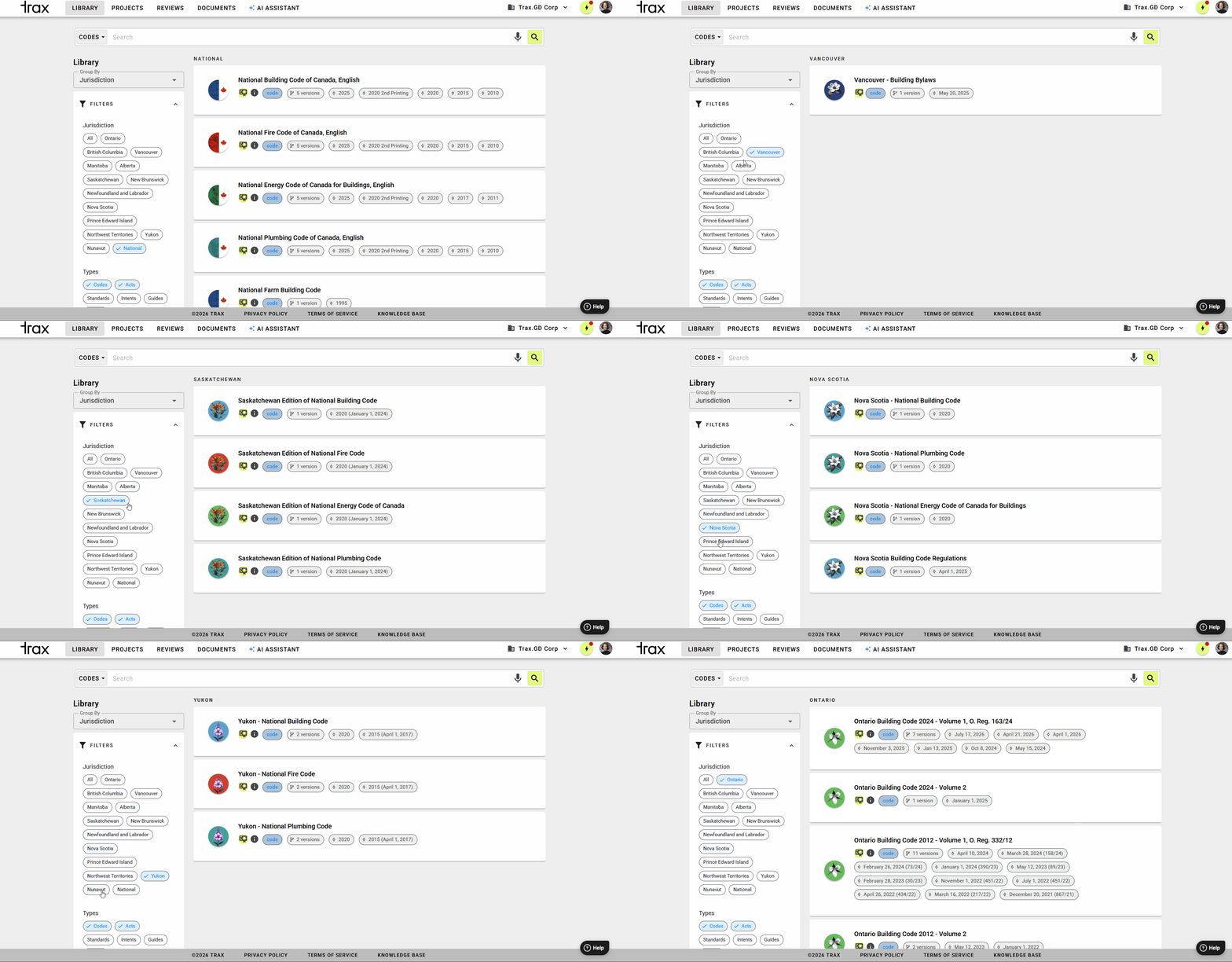
Library
The Trax Library provides convenient access to 50,000 pages of building codes, acts and by-laws for British Columbia, Ontario, Alberta, and all of Canada with links, terms, comments, highlights and versions to help municipal officials, architects, engineers, builder/developers, and code consultants to better search, navigate and communicate requirements.
Artificial intelligence tools help to answer building code questions from our AI Assistant tool, where you can have a conversation with the codes.
Save time and the environment! Code updates are automatic, so you always have the latest version. No labour-intensive swapping out of superseded pages.
Easily migrate your comments forward to new verisons!
Automated Updates

Delightful Search

Lightning fast! Typo tolerant. Full text search across our codes library or within a single code document. Have a conversation with the codes using our AI Assistant.
Powerful Annotation Tools
Add bookmarks, comments, and highlights to any item of the code. Annotations are associated with the current project and can be exported per project.
Access Anywhere

Trax Codes delivers a digital version of the building code via a web and mobile applications, making regulations accessible on-site or in the office.

Projects
Organize your Comments and Bookmarks into Projects.
Set the project location with an address or draw an area on the map. Share the project by inviting colleagues or clients to join. Use Bookmarks and Comments to collaborate to develop a shared understanding of project compliance. Export your project information as a PDF.
Features

Project Information
Add GIS data by entering the location or address of your project. Collect bookmarks and comments in a project, and share the project with others to collaborate.

Comments
Add, edit and review your own notes on any section — synchronized for access from all of your devices. Invite others to join the project to add their comments.

Team Collaboration
For each project, invite colleagues to discuss regulations and collaborate in real time. You can even invite people who do not have a Trax account to join and collaborate.

Compare Codes
Use the Compare Document tool to see changes when a code update is published. For example, from March to April 2022, the OBC changed several stairs sections.

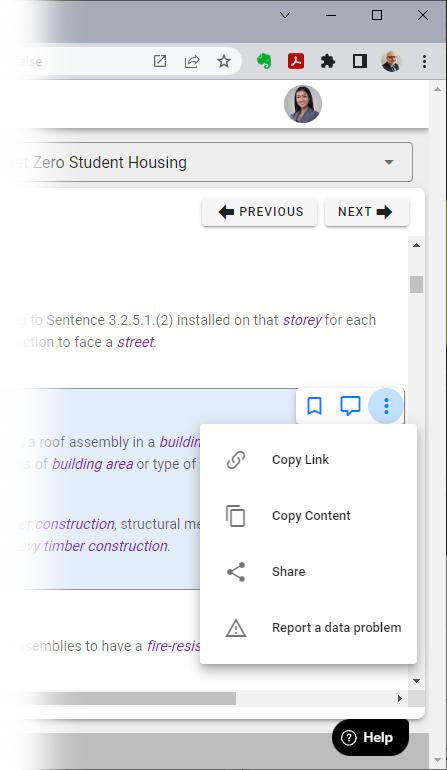
Copy to Clipboard
Each section shows a context menu to create a bookmark, comment, copy a link to the clipboard, copy the item’s content to the clipboard, share the item using the system share function, or to report a problem with the item content.
Integrations
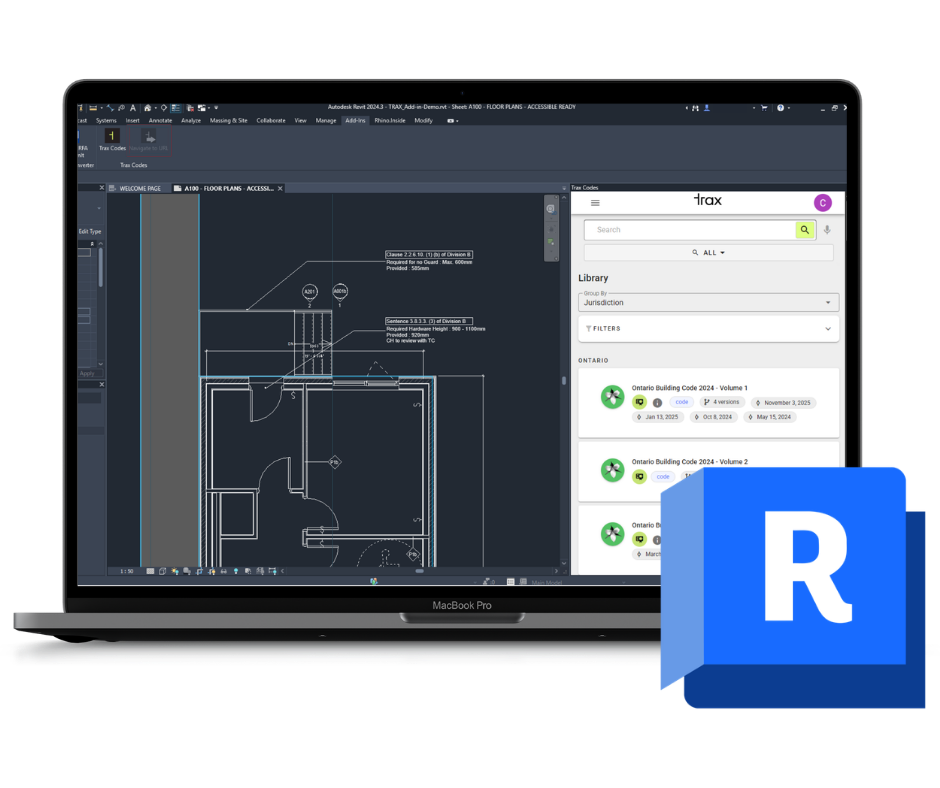
Say goodbye to switching between multiple platforms. Our plugins are designed to simplify your workflow by bringing Trax Codes into the tools you already use.
Autodesk Revit Add-in
Key Features
Access over 50,000 pages of enriched Canadian building codes and standards directly within Revit
Get instant, reliable answers to your compliance questions using Trax Codes’ AI Question and Answer tool built into your workspace
Streamline your workflow by verifying code requirements without leaving your design environment
Compatible with Revit 2021, 2022, 2023, 2024, 2025 and 2026
How to Install
Click the ‘Install Revit Add-in’ button to download the installer.
Close Revit before running the installer and follow the on-screen instructions.
Once installation is complete, start Revit and select “Always Load” when prompted to enable the add-in.
The Trax Codes panel will appear automatically in Revit’s Add-ins tab.